Windows V2.1.42, ZIP file - for manual installation. We recommend the installer above for ease of use, unless installers are blocked by your organisation.
The installers might have sightly different version numbers due to our internal built-process. Feature-wise, Ui.Vision Desktop Automation for Windows, Mac and Linux is identical.
You (only) need the Desktop Automation App if your macros use desktop-scope features (uiv.desktop.*,scope: "desktop", XClick / XType / XRun, local OCR and hard-drive file storage). The browser extension itself cannot do these things on its own and needs this helper app.
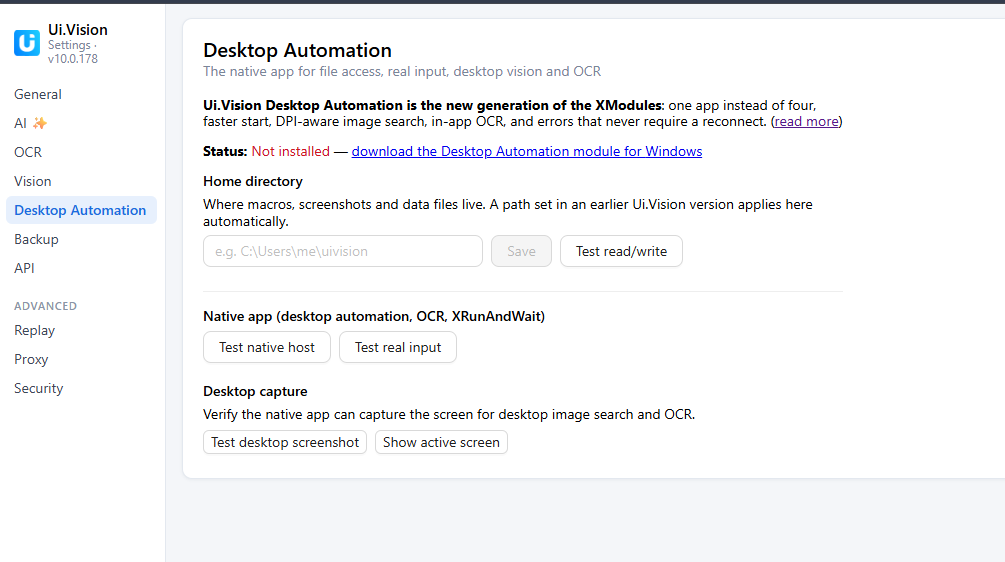
Multi-monitor support: Ui.Vision looks always at the screen where its browser is. It can the main, 2nd, 3rd etc monitor . If you are unsure what your Ui.Vision sees, go to the Desktop Automation settings tab and use the “Test Desktop Screenshot” button near the bottom.
The new Desktop Automation Module needs Ui.Vision V10.0.270 or higher.
Upgrading from Version 1? Here is some info:
XModules Version 1 no longer works with Version 10. But you can still use the XModules 1 with this Ui.Version Version 9.
The new XModules work with both, new JS macros and classic table macros.
Update: No more SmartScreen warning. We thank all our users who downloaded it
How to install Ui.Vision Desktop Automation for Windows
The Windows installer is signed, but our code-signing certificate is new and SmartScreen still needs to “learn” that it is safe. This means you will get the SmartScreen warning. Every installation helps us to build trust with Microsoft SmartScreen, so thank you for that
How to install Ui.Vision Desktop Automation for MacOS
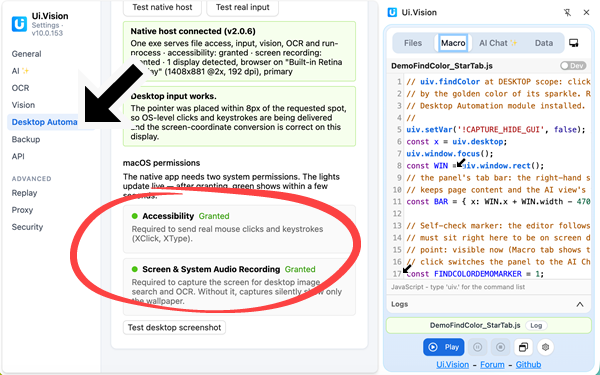
Installation on Mac is straightforward. After the installation you will be prompted to give Ui.Vision Desktop Automation the Accessibilty and Screen & System Audio Recording permissions:
How to install Ui.Vision Desktop Automation for Linux
Requirements
Ubuntu 22.04+, Debian 12+, Fedora 36+. All those systems have glibc 2.35 or newer. Check with: ldd --version
Wayland or X11 both work! On Wayland the system shows a one-time
“Share your screen” prompt the first time a macro captures the screen or
moves the mouse (see “First run” below) — this is the OS asking your
permission, and it is remembered afterwards.
Install
Extract this tarball anywhere:
tar -xzf uivision-desktop-automation-linux-x64.tar.gz
cd uivision-desktop-automation
Run the installer (NO root / sudo needed - it installs into your home
folder only):
./install.sh
It copies the helper to ~/.local/share/uivision/ and registers it with
Chrome, Edge, Chromium and Firefox.
Fully quit and reopen your browser, so it picks up the new helper.
First run - grant permission (Wayland only)
The first time a macro does anything on the desktop (a screenshot, a click, a
keypress), your desktop shows a “Share your screen” / “Remote desktop” dialog. Choose your monitor and click Share/Allow ONCE. The permission is remembered, so later runs do not ask again. On X11 there is no such prompt.
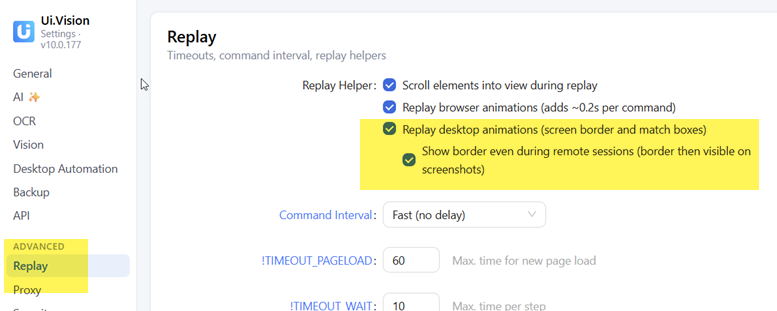
Along with other improvements, Version V2.0 .12 brings animations for desktop automation. You can now see the active screen, the images and words/OCR Ui.Vision finds and where it clicks - on your desktop. Essentially what Ui.Vision already did for browser automation, is now available on the desktop, too.
This feature is available on Windows and Mac (no Linux Wayland support for this specific desktop overlay feature yet).
Just tried to install the Desktop Automation module for Windows, and part of the installation is getting block by Defender for it being unsigned. It is a .tmp file that is dropped into appdata\local\temp.
I was able to added an exclusion, no longer seeing the block.
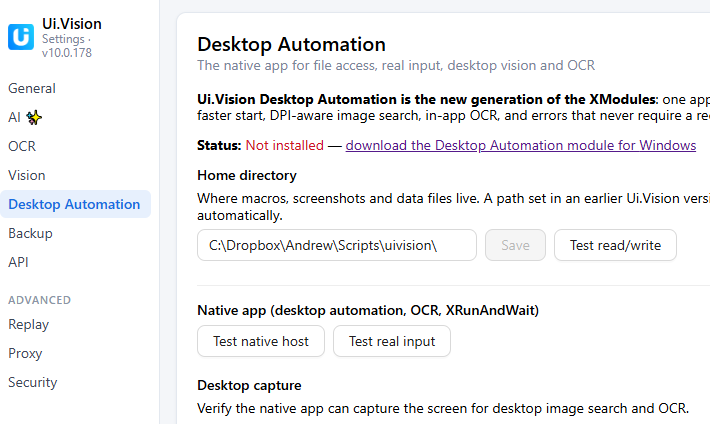
After installing it created this path, C:\Users\Admin\AppData\Local\UI.Vision\DesktopAutomation.
But extension options is still showing its not installed.
Thank you for the prompt responses. Figured out what the issue was, didn’t realize it was user installed based.
We need to deploy this to our end users, do you have a recommend way to mass deploy this?
I’m sad to report on Windows that installing the new Desktop Automation tool doesn’t seem to work. I clicked “run anyway” and got all the way to the installer’s “finished” message. Tried a couple times. Restarted the browser. Restarted the computer. Tried installing again. Neither Chrome nor Firefox recognize that it’s been installed.
@aflusche Sorry about the trouble. And thanks for testing in both, Firefox and Chrome. → Could you run through these quick checks and tell us what you find?
What does the red box say after you click the “Test native host” button. Please paste the exact text of the red result box here — the browser’s error message tells us hopefully more about the root cause. [If you are in a rush, this test alone would help us a lot]
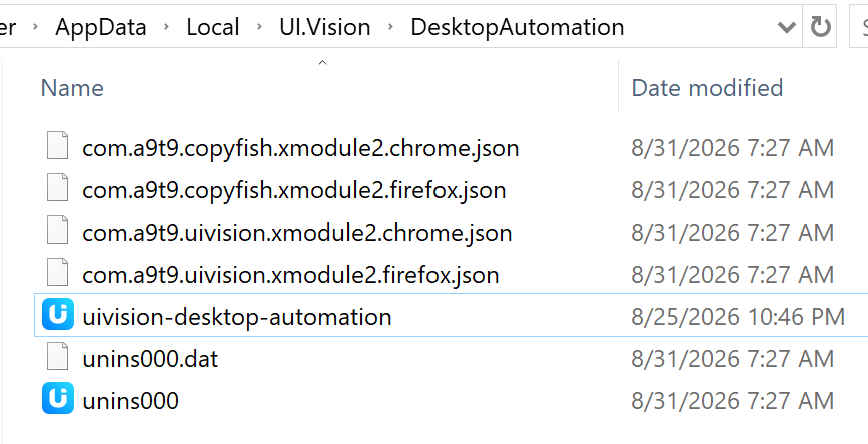
Is the helper exe still there? Paste this into the Explorer address bar: %LOCALAPPDATA%\UI.Vision\DesktopAutomation — you should see uivision-desktop-automation.exe. If the folder is empty or the exe is gone, your antivirus most likely quarantined it right after install (the same low-reputation flag that made you click “run anyway”). Check Windows Security → Virus & threat protection → Protection history for a quarantine entry.
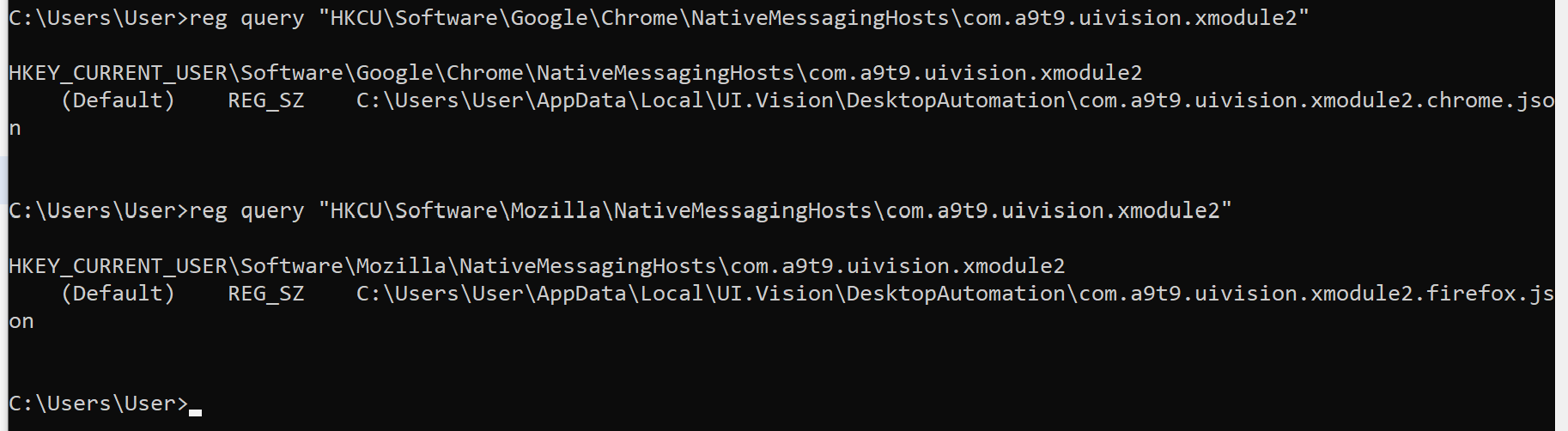
Did the registration land in your account? Open a command prompt and run:
Both should print a path to a .json file. If they say “unable to find the specified registry key”: did you run the installer “as administrator”, or from a different Windows account? The install is per-user, so it registers for whichever account ran it — just re-run it normally (no admin needed) from the account you browse with.
Is this a company-managed PC? Open chrome://policy in Chrome and search for “native”. A NativeMessagingUserLevelHosts = false or NativeMessagingBlocklist entry means your admin has blocked per-user native messaging hosts — the install then succeeds but Chrome ignores it. (But this would not explain why also Firefox fails)
Thanks for the quick reply! Here are the responses to your steps:
1:
Native host not reachable
Error when communicating with the native messaging host.. Dev install: run xmodule2/install/install-dev.ps1 (Windows) or install-dev.sh (Mac/Linux), then reload the browser.
@aflusche Your three answers together solved it, thank you! The browser actually found the helper and launched it, but it died instantly. => the helper needs a Microsoft runtime DLL (VCRUNTIME140.dll) that isn’t part of Windows itself — it comes with the “Visual C++ Redistributable” that most PCs happen to have because some other program installed it. But relatively fresh Windows systems often don’t.
If you would double-click uivision-desktop-automation.exe, you’ll most likely get a “VCRUNTIME140.dll was not found” error dialog - that confirms it.
Fix right now: install Microsoft’s VC++ runtime from https://aka.ms/vs/17/release/vc_redist.x64.exe (official Microsoft link), then fully restart the browser. The test should go green.
Real fix: the next Desktop Automation build (2.0.13) will contain the required DLL.
 Windows V2.1.42, Installer - fully signed, No admin rights needed.
 Mac V2.1.41, Installer - fully signed. More details here. We are a registered Apple Developer.
 Linux V2.1.41, Tar.gz - including full Wayland support. More details here.
 . If you are unsure what your Ui.Vision sees, go to the Desktop Automation settings tab and use the “Test Desktop Screenshot” button near the bottom.
 The new Desktop Automation Module needs Ui.Vision V10.0.270 or higher.