Then it is easy: Ui.Vision uses whatever monitor the browser is on! So when you move the browser e. g. to the second display, the automation runs on this display.
By browser, does it mean the internet browser window you are acting on or the window that the UIVision is on. Meaning if I have dual monitors with a Google Chrome window up on Monitor 1 that the macro will be acting on and UIVision open on monitor 2 to watch UIVision showing the steps of the process as it runs (to make sure it is not stuck in a loop or something) would that still work or would I need to stay with the current versions?
@straussj This issue is fixed. The IDE can now be on a different monitor. Ui.Vision picks the monitor for desktop automation and the desktop.click commands by the center of the web browser it runs in. As always, plain browser automation does not need any screen selection.
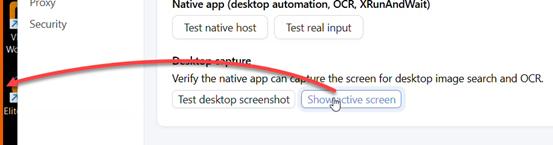
The desktop automation tab has also a new button “Show active screen”. Press it and Ui.Vision draws an orange frame on the active screen.
This isn’t working for me on MacOS 14.7.6. The monitor used for desktop automation is always where the IDE is, not the active browser. Also “show active screen” says it only works on Windows.
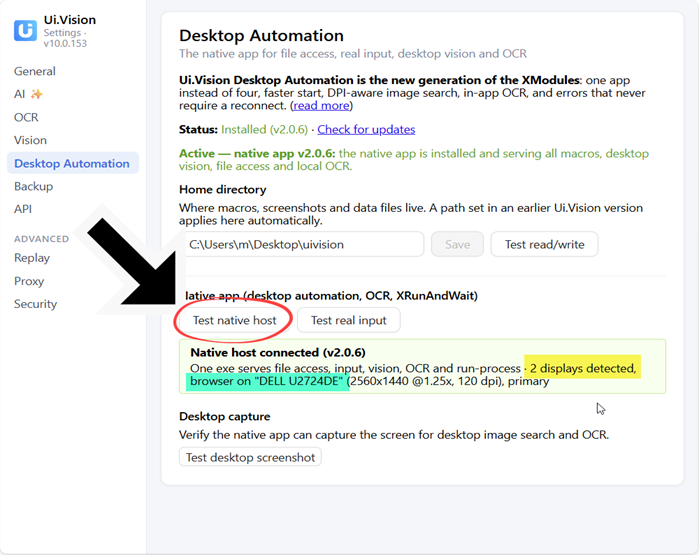
 with browser and IDE on different windows during desktop automation!