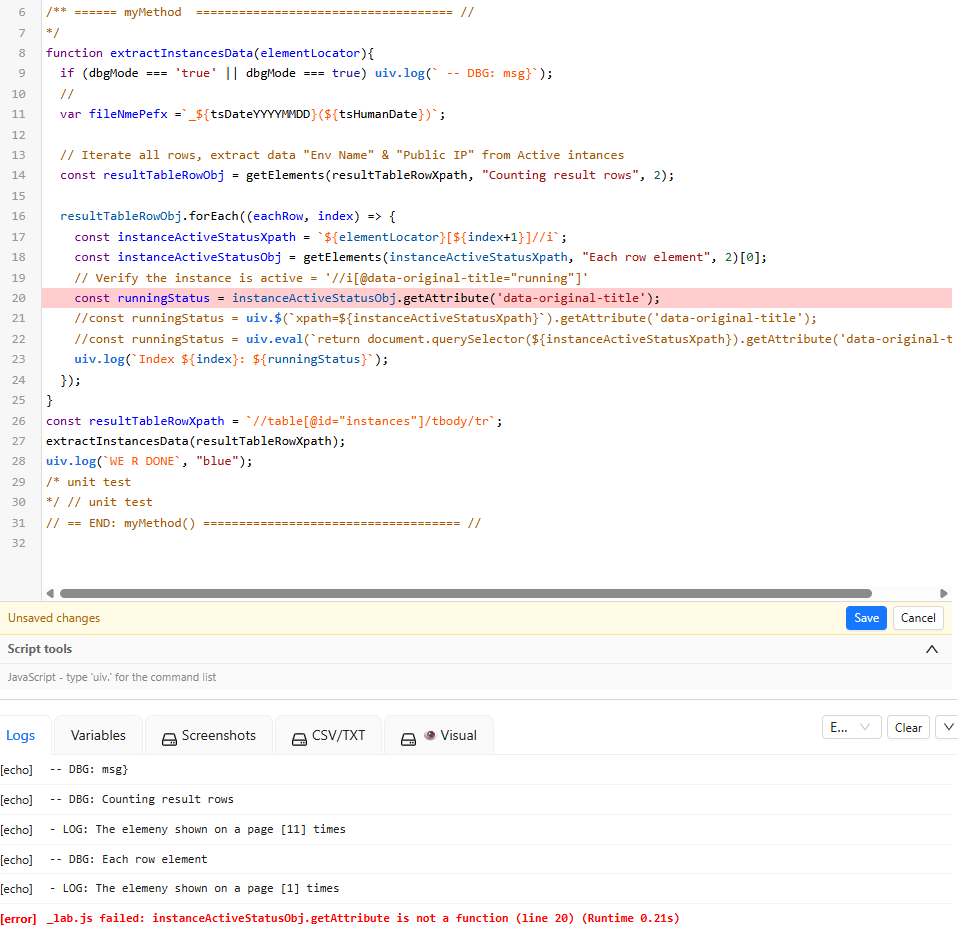
the uiv.run(‘run’, ‘my_script.js’); is not working.
the calling script is executed. the called script is not
the uiv.run(‘run’, ‘my_script.js’); is not working.
the calling script is executed. the called script is not
Issue confirmed.
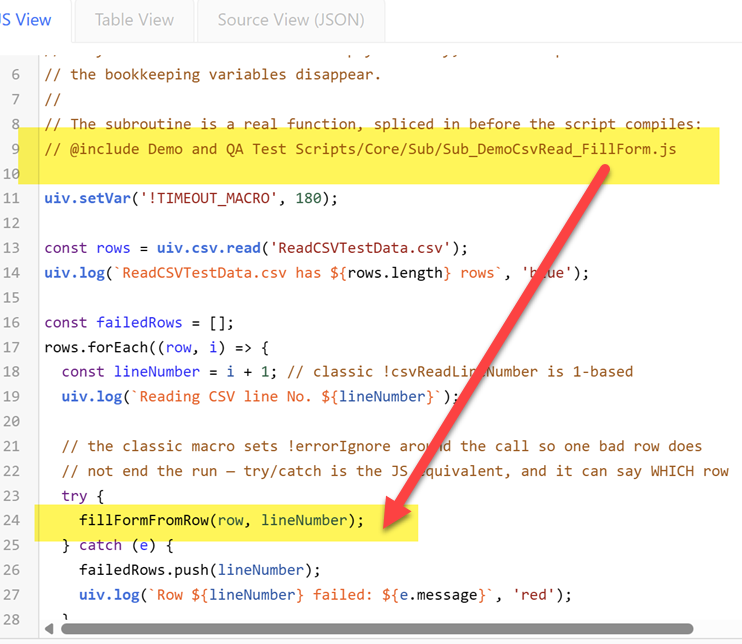
uiv.run(‘run’, ‘my_script.js’) cannot work from a JS script: the classic run command pushes the called macro onto the classic player’s call stack and relies on the player’s main loop to execute it — but a script’s uiv.run calls are one-shot mini-runs, so the frame is pushed and never played (and for a called .js macro there are no Commands at all — its program lives in Script). The call “succeeds” silently, which matches the report exactly. With the next update we will report a proper error.
=> Solution:
This works already now: Replace the uiv.run(‘run’, …) line with an @include of the shared macro and call its function.
Example:
@incluse is very powerfully.
i have started to use it like “import” in java. life mush easier now
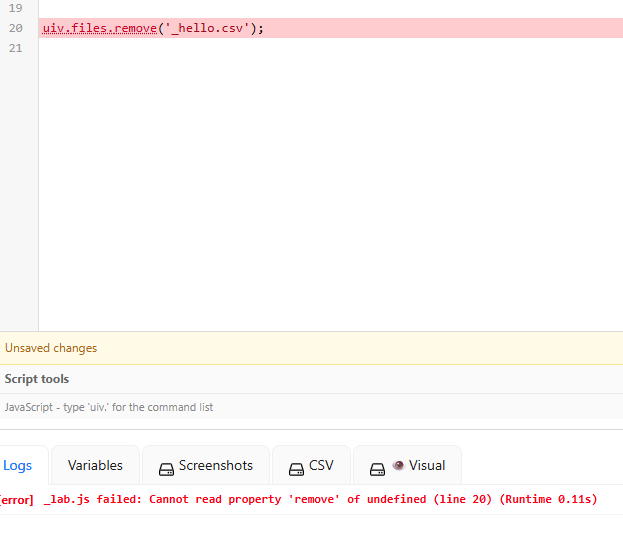
The uiv.exportToDownloads(fileName); is not removing browser stored file after download
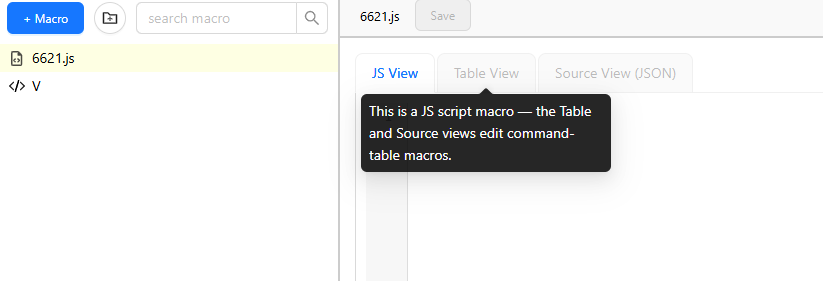
I’m on UI.Vision 10.0.101 (Chrome extension). Whenever I click “+ Macro” and give it a name, it automatically creates a .js script macro — even though I just type a plain name with no extension.
Because of this, the Table View and Source View (JSON) tabs are greyed out, with the tooltip: “This is a JS script macro — the Table and Source views edit command-table macros.”
My question: is there still a way to create a new command-table macro directly from the “+ Macro” dialog in v10, or has that dialog been changed to only create JS macros now?
@108_MIX See here: Create classic macros with V10
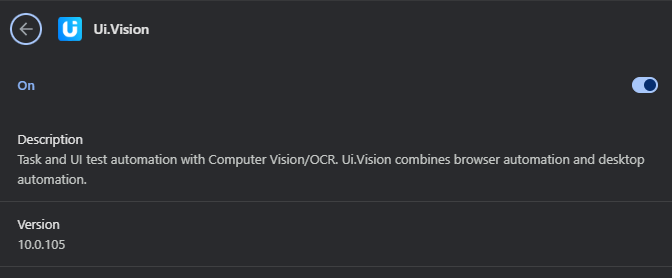
You’re right, thanks for the hint → we fixed this gap with todays V10.0.105 release.
Solution:
A new command uiv.files.remove(name) was added, alongside uiv.files.list() and uiv.files.exists(name) - they take any stored name, .png, .csv or .txt alike:
So in your case:
uiv.exportToDownloads('results.csv');
uiv.files.remove('results.csv');
PS: In classic table macros, localStorageExport | results.csv | #DeleteAfterExport still works exactly as before.
Do you already have version V10.0.105? If not, you can force an update and then retest.
@Eltal can you please post a test macro with this issue? Then we can debug it.
const dbgMode = true;

/** ====== myMethod  ==================================== //
*/
function myMethod (elementsLocator, elementsAttribute, the_msg="Extracting attribute"){
uiv.open('
');
if (dbgMode === true || dbgMode === 'true')   { uiv.log( -- DBG: ${the_msg}); }
// code here
uiv.log(Will extact value of the an Attribute [${elementsAttribute}] from [${elementsLocator}], "");

const elementObj = uiv.$(xpath=${elementsLocator});
const runningStatus = elementObj.getAttribute(elementsAttribute);
uiv.log(WE R DONE, "");
}
const resultTableRowXpath = //table[@class="table table-bordered"][1]/tbody/tr[1];
myMethod(resultTableRowXpath, "class") ;
/* unit test
*/ // unit test
// == END: myMethod() ==================================== //
Short answer: With the new v10.0.125 your code works exactly as you wrote it, so the answer is “update and your code is correct” 
Longer answer:
Thanks for the report! You found a gap: in JS macros, uiv.$() returns a snapshot of the element (its .text, .value, position, etc.), not a live DOM handle — and until now that snapshot did not include attributes, so .getAttribute() didn’t exist on it.
Your code was the natural way to write it (it’s exactly how Selenium/Puppeteer work), so we added it: as of v10.0.125, DOM matches carry all their attributes and getAttribute works directly on the finder result:
const row = uiv.$('xpath=//table[@class="table table-bordered"][1]/tbody/tr[1]');
const cls = row.getAttribute('class');   // your original code — works now
uiv.log(`class = ${cls}`);
Details:
An absent attribute returns null (same as the DOM), it does not throw.
row.attributes gives you the whole attribute map as an object if you want to look at everything at once.
The values are read at find time, together with .text/.value — consistent with the snapshot design. For a live DOM property (e.g. .checked, or .href resolved to an absolute URL), keep using uiv.eval.
If you’re on an older version, either of these works there (but again, these workarounds are not longer needed since V10.0.125):
// page-world eval
const cls = uiv.eval('return document.querySelector("table.table-bordered tbody tr").getAttribute("class")');

// or the classic command bridge
uiv.run('storeAttribute', 'xpath=//table[@class="table table-bordered"][1]/tbody/tr[1]@class', 'v');
const cls = uiv.getVar('v');
The DemoExtract (JS) demo macro was also updated to show the new form.