The “Update” button shows only when Chrome “developer mode” is turned on. It is a simple switch on the extension page. Then, the Update button appears on top. It applies to all extensions:
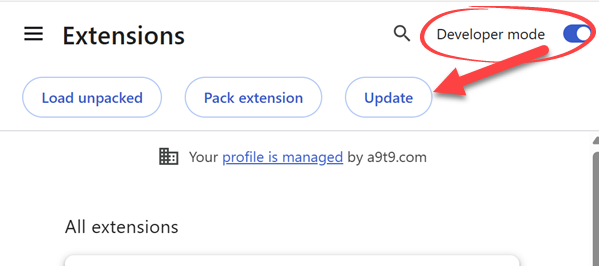
We did not trigger the automated V10 rollout for all users yet, only a few percent. What the “Update” button does is that it manually triggers the extension update.
Of course, a fresh install is also a good option 