Ui.Vision 10 Beta: AI, Javascript uiv.* macros and new real user browser clicks that need no focus

@Jimmylee Thanks for this question:

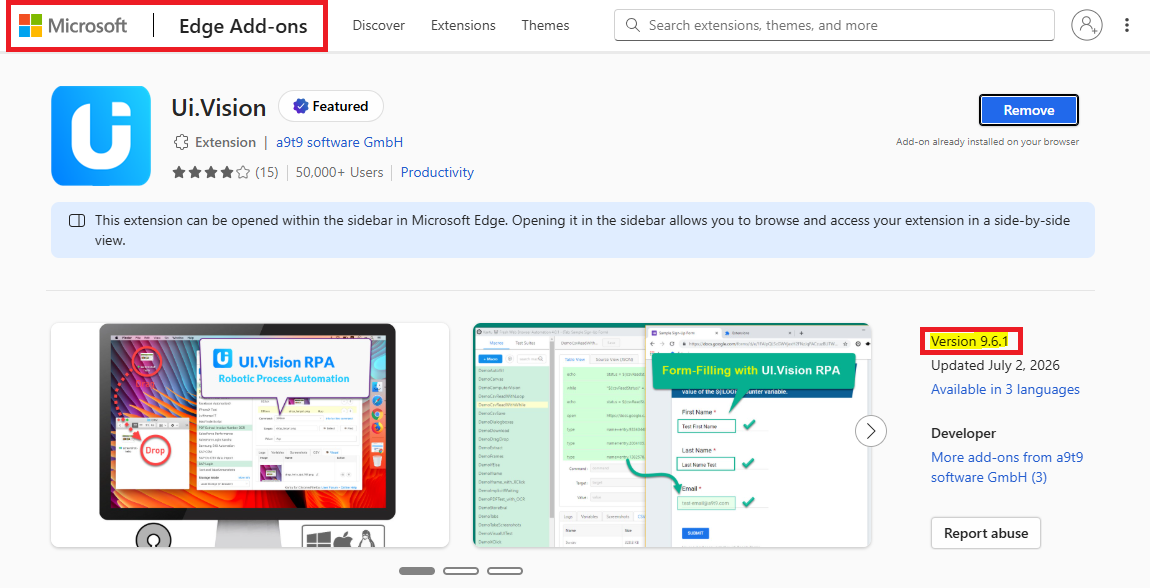
Ui.Vision: No more license key needed since V9.6.1 :slight_smile:

As you may know, Ui.Vision has always been - and remains - an open-source project. To better align with the open-source nature of our product, we are shifting our licensing approach. Since the release of Version 9.6.1, we have removed the requirement for license keys entirely. All advanced features are now free and unlimited for all users. The Enterprise license becomes a yearly subscription and is now focused on

(1) Custom builds for Update Management (if needed)

(2) Expert, direct technical support including priority features requests and bug fixes.

To ensure a smooth transition and as a thank you for your continued loyalty, all Enterprise accounts have been automatically credited with complimentary technical priority support through January 1, 2028. This provides you with a full 1.5 years of uninterrupted, free tech support.

Starting in 2028, continued technical support will be available via an optional yearly renewal fee. Please note that the RPA software itself will remain entirely unaffected by this timeline; it will continue to function normally and remain free to use regardless of your support status.
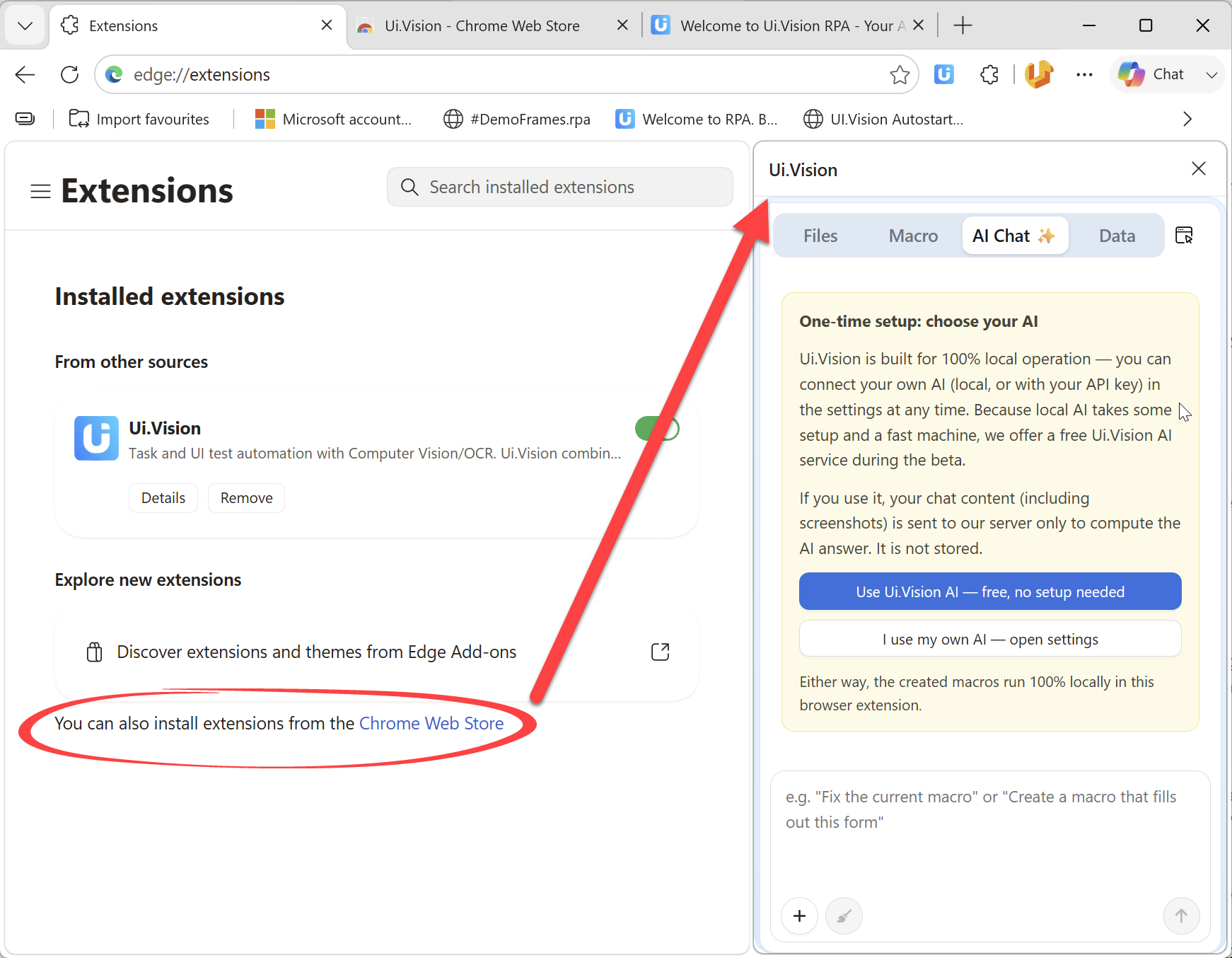
@Jimmylee The Edge store is a bit slow with updates and does not support staged rollouts. Therefore, we will update the native Ui.Vision for Edge version once the Beta phase is over. Meanwhile you can install Version 10 Beta directly from the Chrome store into Edge:

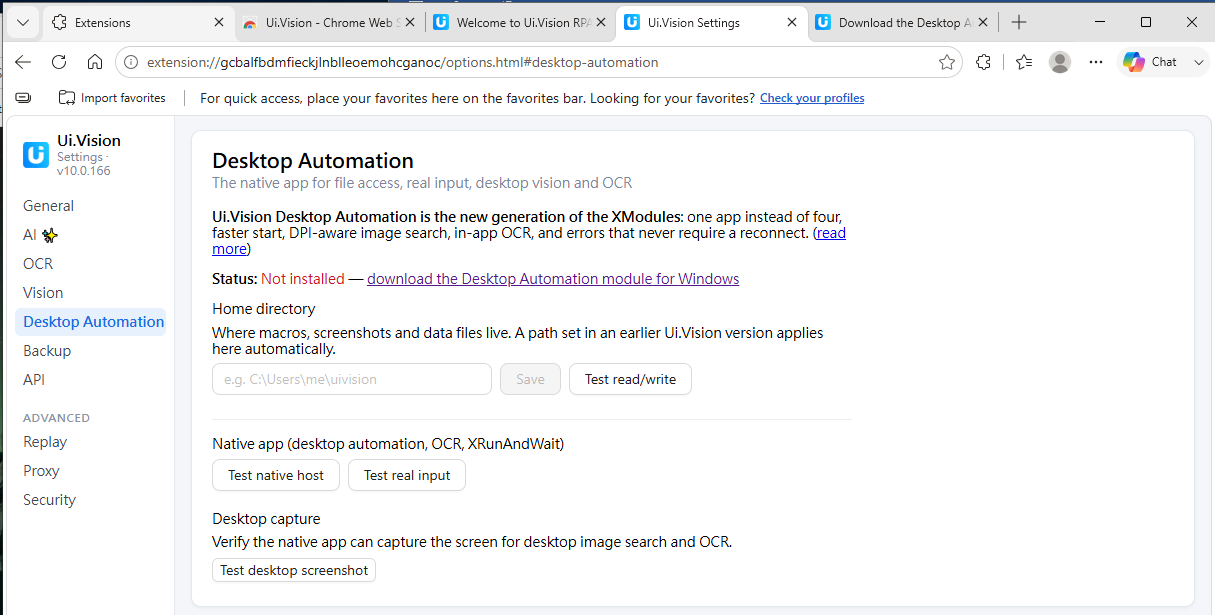
Thanks for your advise. We have already installed the extension in MS Edge from Chrome store and installed XModules for win (Window V2.0.7). The installed XModules worked on Chrome browser but could not not detected by MS Edge. Are there any workaround to configure the UI Vision 10 using MS Edge?

Please for next update :

  • Move the “Play Loop” button back to the top bar and keep the value we set, as before. Currently, it always resets to “2”.

  • Give us the option to create a standard macro without having to go through 15 steps or use the AI. Not everyone wants to use AI for everything.

  • There is an issue when editing the text of a task: the cursor automatically jumps to the end of the text as soon as you type something. For example, if I have typed ${tatusOK} and want to correct it, the cursor jumps to the end when I add the !, forcing me to reposition the cursor manually to add the s.

can’t agree with these any more;

thumbs up!

that’s why i posted this classic points above;

especially for continued loyalty yearly users like us, like me, we want the basic things to be the same. AI is fancy, but sometimes too fancy.

Your post was just in time and we could fix this issue with today’s V10.0.177. The other suggestions I added to our todo list.

V10.0.177 already, where’s the “Play Loop” button?

Where is the Play Loop button? in the older version I was able to set which line to start loop at but new version it’s gone

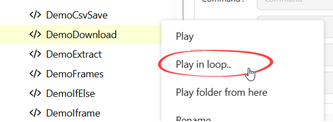
@Ruriko @gibson The button is not there (yet), but the the Play loop itself is in the right-click menu in both, the IDE and the sidebar. And it stores the last used loop value now:

Hi, I’m a user from Japan, and I rely on the Japanese IME (Microsoft IME, kanji/hiragana conversion) for text input in my macros.

Thank you for the quick fix in V10.0.177 — the cursor-jump issue with plain (Latin) keystrokes is resolved for me now.

However, a similar problem still occurs when using the Japanese IME in the editor’s text fields (e.g. the Value column of a task). For example, typing the romaji `era-` (which should convert to `えらー`) instead produces a garbled, mixed result: `えRあー` — with a stray half-width romaji character (`R`) stuck in the middle of the hiragana string, instead of a clean conversion. This happens every single time I type using the IME — it’s not intermittent.

It seems the V10.0.177 fix addressed the plain keydown-triggered cursor reset, but not the separate IME composition events (compositionstart / compositionupdate / compositionend) that fire while converting. The editor appears to be re-rendering or repositioning the cursor mid-composition, which scrambles the in-progress IME string before it’s committed.

Environment:

- Ui.Vision version: V10.0.177

- Browser: Microsoft Edge (installed via the Chrome Web Store add-on)

- OS: Windows Server on AWS

- Input method: Microsoft IME (Japanese)

Steps to reproduce:

1. Open a macro in the IDE / sidebar editor

2. Click into a text field (e.g. the Value field of a step)

3. Switch to Japanese IME input and type `era-` while converting

4. Observe the garbled result (`えRあー`) instead of the correct `えらー` — reproduces every time

This likely affects other Japanese (and possibly Chinese/Korean) users who depend on IME input for daily macro editing, so I wanted to flag it separately from the already-fixed Latin-keystroke issue. Thank you!

with the latest update…you can no longer save new macros as json? its my preferred way of using the macros.

@agordon10 Classic table macros are still supported

@ayoshino Thanks for the report. We tested with Chinese and the Windows IME, and all seems to work fine. Can you maybe send a video of the issue?

Thanks for checking! I’ve attached a short screen recording (uivision_ime_issue.mp4) that isolates the issue clearly.

In the video:

1. In the Ui.Vision Table View editor’s “Description” field, I use the Japanese Microsoft IME to type the romaji `korehatesuto` (which should convert to `これはてすと`). Instead, the field ends up garbled — consonant letters (k, h, t, s) stay as raw Latin characters while vowels (a, i, u, e, o) get converted to hiragana on their own, with no coherent syllable composition and no IME candidate window appearing.

2. Right after, I open MIFES (a native Windows text editor) and type the exact same romaji with the exact same Microsoft IME, in the exact same Windows session. There it converts correctly to `これはてすと`, with the normal IME candidate popup appearing as expected.

This isolates the problem to how the Ui.Vision editor’s text field handles IME composition events (compositionstart / compositionupdate / compositionend) — the Windows IME itself is working correctly, as the MIFES test shows.

This may also explain why testing with a Chinese IME didn’t reproduce it: Chinese Pinyin input commits differently than Japanese romaji-to-kana composition, which holds a longer uncommitted string that updates repeatedly via compositionupdate while typing. If the editor resets/re-renders the field on certain updates, that would explain the Chinese/Japanese difference.

Note: this was recorded on V10.0.178, so the issue is still present in the latest build.

The visualSearch function doesn’t seem to be working now that it’s updated
I’ve tried various different approaches to getting it to recognise the icon that I need, but it just doesn’t seem to recognise it any more.

It was using a saved image in the images folder previously,

I’ve tried:

  • Changing the accuracy of the visual search
  • Using the Select Image function
  • Using relative clicks

I’m managing the macro on behalf of someone who is away, and I am really stuck!

Also, doing an automatic update is really unhelpful, it would have been nice to have asked permission, or have an option to roll it back (I’m using edge).

Do you have an example of the issue? A small test macro would be best.

Edge, like Chrome, does not support blocking updates. That is why we offer custom builds with upgrade protection. But see here for older Ui.Vision Version 9 that does not auto-upgrade.

Please find the section of code below

{
“Command”: “visualSearch”,
“Target”: “RemConsult1Save.png”,
“Value”: “PdfButtonCount”,
“Description”: “Scan for PDF save button”
},
{
“Command”: “XDesktopAutomation”,
“Target”: “false”,
“Value”: “”,
“Description”: “”
},
{
“Command”: “store”,
“Target”: “15”,
“Value”: “!timeout_wait”,
“Description”: “”
},
{
“Command”: “if”,
“Target”: “${PdfButtonCount} > 0”,
“Value”: “”,
“Description”: “PDF Found”
},

Hi,
Having installed 178 version of UIV and uivision-desktop-automation-linux-2.0.12.tar.gz on Linux Devuan 6.12.105+deb13-amd64 #1 SMP PREEMPT_DYNAMIC Debian 6.12.105-1 (2026-08-24) x86_64 GNU/Linux
i got cursor movement to wrong position for uiv.desktop.move(580,640); in the chromium 151.0.7922.169-1~deb13u1 and right one in Firefox. I’ve wrote a video but it can not be uploaded.