Thanks for the help!
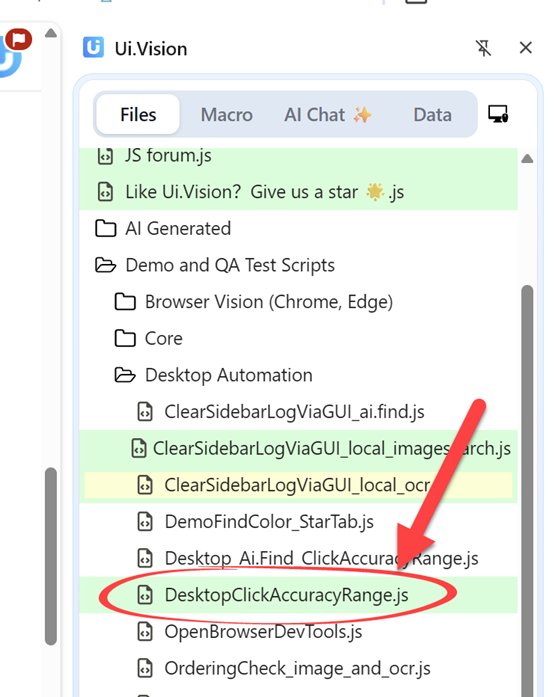
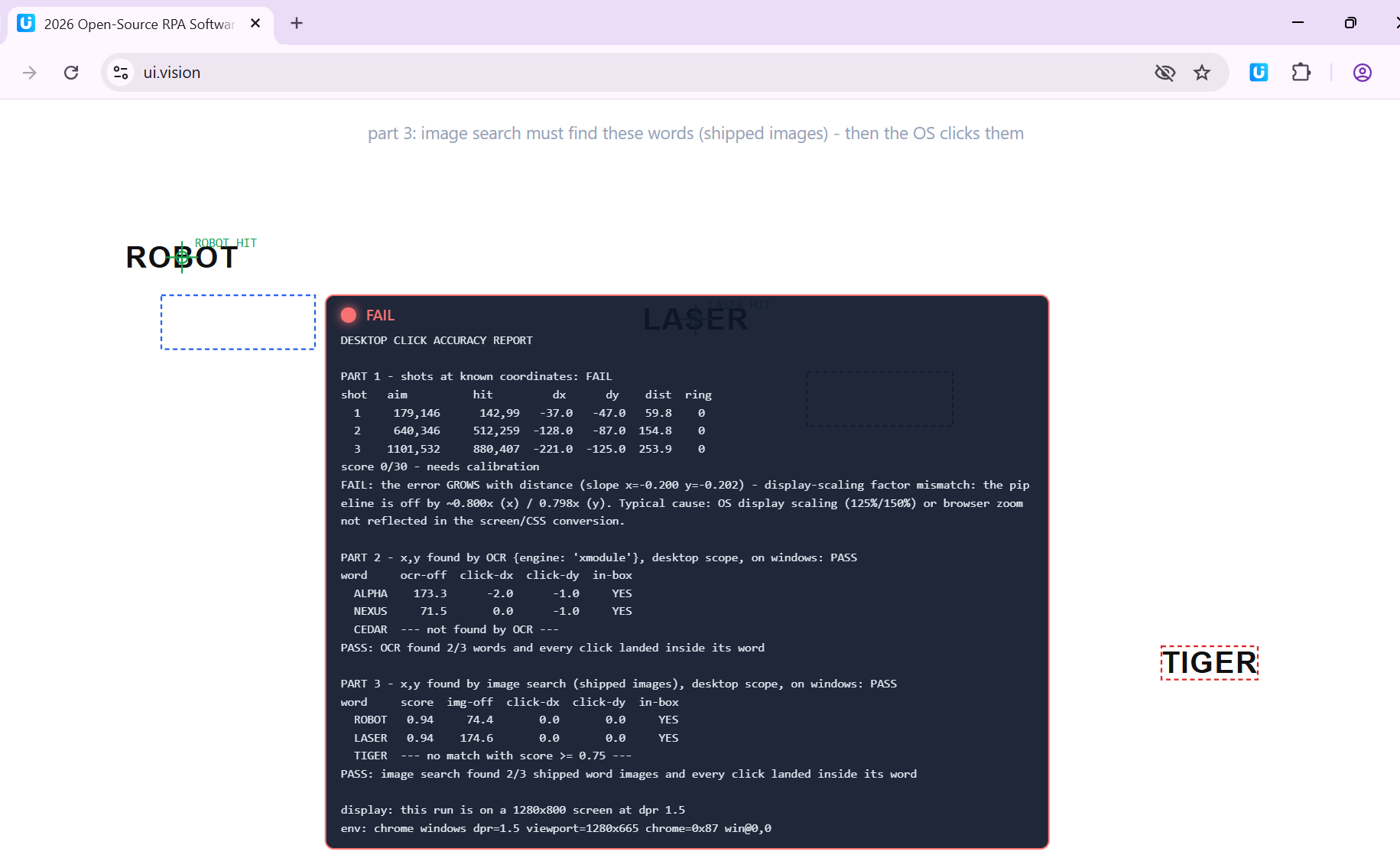
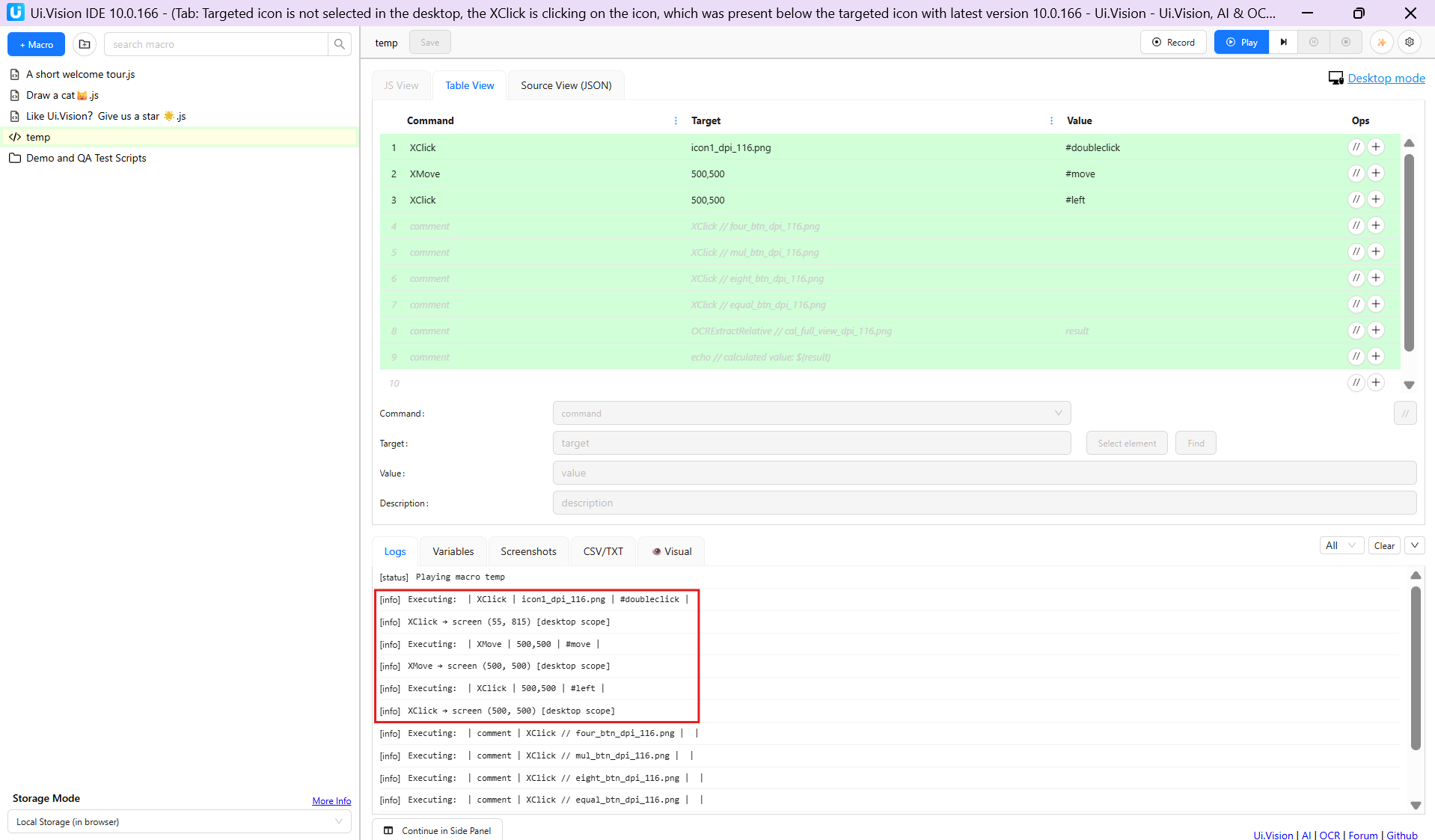
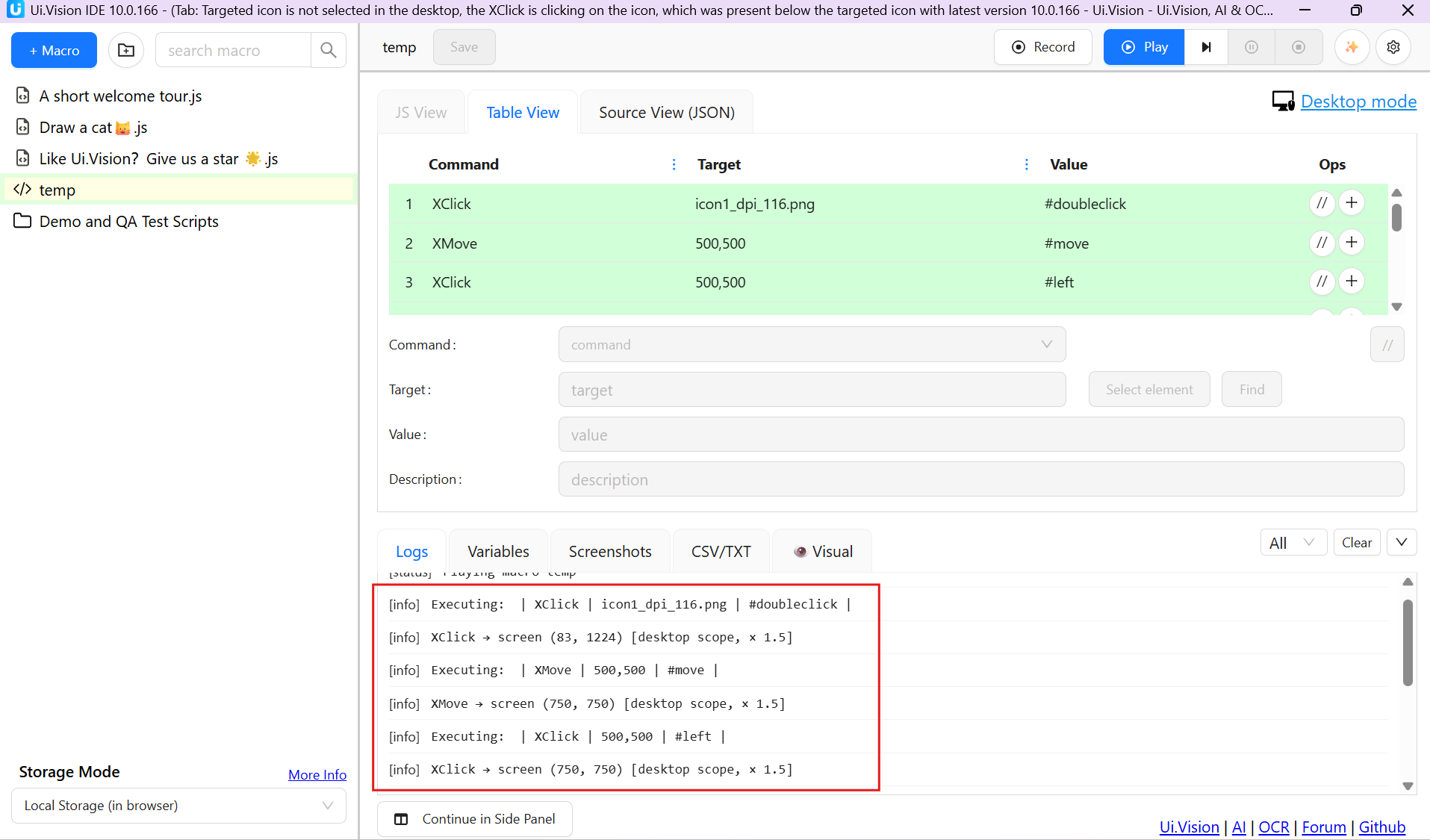
I did execute the file ‘DesktopClickAccuracyRange.js’. However, its got failed. Attached logs and the final screen that I am seeing as below. Pls check and advice.
[status]
DesktopClickAccuracyRange.js started
[info]
Executing: uiv.open {“url”:“
https://ui.vision/”}
[info]
Executing: uiv.window.resize {“width”:1000,“height”:640}
[warning]
W367: only able to resize the viewport to 1280x665, asked for 1000x640 (screen limit)
[info]
Executing: uiv.eval {“code”:“return window.outerHeight - window.innerHeight”}
[info]
Executing: uiv.eval {“code”:“return window.outerHeight - window.innerHeight”}
[info]
Executing: uiv.eval {“code”:“return window.outerHeight - window.innerHeight”}
[info]
Executing: uiv.eval {“code”:“return window.outerHeight - window.innerHeight”}
[info]
Executing: uiv.eval {“code”:“return window.outerHeight - window.innerHeight”}
[info]
Executing: uiv.eval {“code”:“return window.outerHeight - window.innerHeight”}
[info]
Executing: uiv.eval {“code”:“return window.outerHeight - window.innerHeight”}
[info]
Executing: uiv.eval {“code”:“return window.outerHeight - window.innerHeight”}
[info]
Executing: uiv.eval {“code”:“return window.outerHeight - window.innerHeight”}
[info]
Executing: uiv.eval {“code”:“return window.outerHeight - window.innerHeight”}
[info]
Executing: uiv.eval {“code”:“return window.outerHeight - window.innerHeight”}
[info]
Executing: uiv.eval {“code”:“return window.outerHeight - window.innerHeight”}
[info]
Executing: uiv.eval {“code”:“return window.outerHeight - window.innerHeight”}
[info]
Executing: uiv.eval {“code”:“return window.outerHeight - window.innerHeight”}
[info]
Executing: uiv.eval {“code”:“return window.outerHeight - window.innerHeight”}
[info]
Executing: uiv.eval {“code”:“return window.outerHeight - window.innerHeight”}
[info]
Executing: uiv.eval {“code”:“return window.outerHeight - window.innerHeight”}
[info]
Executing: uiv.eval {“code”:“return window.outerHeight - window.innerHeight”}
[info]
Executing: uiv.eval {“code”:“return window.outerHeight - window.innerHeight”}
[info]
Executing: uiv.eval {“code”:“\nvar d = document, W = window.innerWidth, H = window.innerHeight;\nvar old = d.getElementById(‘uivxr’); if (old) old.remove();\nvar ov = d.c…
[echo]
Range 1280x665 | chrome on windows | dpr=1.5 | window chrome=0x87px | window at 0,0 | tolerance 8px
[info]
Executing: uiv.eval {“code”:“window.__uivDisp = ‘pending’; try { if (navigator.permissions && window.getScreenDetails) { navigator.permissions.query({name: 'window-manage…
[info]
Executing: uiv.eval {“code”:“return window.__uivDisp”}
[echo]
display: this run is on a 1280x800 screen at dpr 1.5
[info]
Executing: uiv.banner {“html”:“Checking the measuring rig”,“position”:“bottom”}
[info]
Executing: uiv.eval {“code”:“return window.__uivxrHits”}
[info]
Executing: uiv.browser.click {“x”:640,“y”:623,“frameId”:0,“frameLocal”:false,“scope”:””,“tag”:“”}
[info]
Executing: uiv.eval {“code”:“return window.__uivxrHits”}
[echo]
Recorder self-test OK - CDP click recorded at 640,623
[info]
Executing: uiv.banner {“html”:“Waiting for Chrome to close its “is debugging” notice (up to 15s)”,“position”:“bottom”}
[info]
Executing: uiv.eval {“code”:“return window.outerHeight - window.innerHeight”}
[info]
Executing: uiv.eval {“code”:“return window.outerHeight - window.innerHeight”}
[info]
Executing: uiv.eval {“code”:“return window.outerHeight - window.innerHeight”}
[info]
Executing: uiv.eval {“code”:“return window.outerHeight - window.innerHeight”}
[info]
Executing: uiv.eval {“code”:“return window.outerHeight - window.innerHeight”}
[info]
Executing: uiv.eval {“code”:“return window.outerHeight - window.innerHeight”}
[info]
Executing: uiv.eval {“code”:“return window.outerHeight - window.innerHeight”}
[info]
Executing: uiv.eval {“code”:“return window.outerHeight - window.innerHeight”}
[info]
Executing: uiv.eval {“code”:“return window.outerHeight - window.innerHeight”}
[info]
Executing: uiv.eval {“code”:“return window.outerHeight - window.innerHeight”}
[info]
Executing: uiv.eval {“code”:“return window.outerHeight - window.innerHeight”}
[info]
Executing: uiv.eval {“code”:“return window.outerHeight - window.innerHeight”}
[info]
Executing: uiv.eval {“code”:“return window.outerHeight - window.innerHeight”}
[info]
Executing: uiv.eval {“code”:“return window.outerHeight - window.innerHeight”}
[info]
Executing: uiv.eval {“code”:“return window.outerHeight - window.innerHeight”}
[info]
Executing: uiv.eval {“code”:“return window.outerHeight - window.innerHeight”}
[info]
Executing: uiv.eval {“code”:“return window.outerHeight - window.innerHeight”}
[info]
Executing: uiv.eval {“code”:“return window.outerHeight - window.innerHeight”}
[info]
Executing: uiv.eval {“code”:“return window.outerHeight - window.innerHeight”}
[info]
Executing: uiv.eval {“code”:“return window.outerHeight - window.innerHeight”}
[info]
Executing: uiv.eval {“code”:“return window.outerHeight - window.innerHeight”}
[info]
Executing: uiv.eval {“code”:“return window.outerHeight - window.innerHeight”}
[info]
Executing: uiv.eval {“code”:“return window.outerHeight - window.innerHeight”}
[info]
Executing: uiv.eval {“code”:“return window.outerHeight - window.innerHeight”}
[info]
Executing: uiv.eval {“code”:“return window.outerHeight - window.innerHeight”}
[info]
Executing: uiv.eval {“code”:“return window.outerHeight - window.innerHeight”}
[info]
Executing: uiv.banner {“html”:“”,“position”:“bottom”}
[echo]
Sighting shot…
[info]
Executing: uiv.banner {“html”:“Sighting shot: a click at a known coordinate”,“position”:“bottom”}
[info]
Executing: uiv.eval {“code”:“return window.__uivxrHits”}
[info]
Executing: uiv.desktop.click {“x”:640,“y”:623,“frameId”:0,“frameLocal”:false,“scope”:“browser”,“tag”:“”}
[info]
XClick → screen (768, 852) = viewport (640, 623) + origin (0, 87, measured) × 1.2000000476837158 [anchor-off: display-anchor: 0 size matches]
[info]
Executing: uiv.eval {“code”:“return window.__uivxrHits”}
[info]
Executing: uiv.banner {“html”:“Part 1: shooting at known coordinates, target 1 of 3”,“position”:“bottom”}
[info]
Executing: uiv.eval {“code”:“return window.__uivxrHits”}
[info]
Executing: uiv.desktop.click {“x”:179,“y”:146,“frameId”:0,“frameLocal”:false,“scope”:“browser”,“tag”:“”}
[info]
XClick → screen (215, 280) = viewport (179, 146) + origin (0, 87, measured) × 1.2000000476837158 [anchor-off: display-anchor: 0 size matches]
[info]
Executing: uiv.eval {“code”:“return window.__uivxrHits”}
[info]
Executing: uiv.eval {“code”:“window.__uivxrMark(142,99,”
#f87171",“59.8px”)“}
[echo]
Target 1: aimed 179,146 hit 142,99 - off by 59.8px (ring 0)
[info]
Executing: uiv.banner {“html”:“Part 1: shooting at known coordinates, target 2 of 3”,“position”:“bottom”}
[info]
Executing: uiv.eval {“code”:“return window.__uivxrHits”}
[info]
Executing: uiv.desktop.click {“x”:640,“y”:346,“frameId”:0,“frameLocal”:false,“scope”:“browser”,“tag”:”“}
[info]
XClick → screen (768, 520) = viewport (640, 346) + origin (0, 87, measured) × 1.2000000476837158 [anchor-off: display-anchor: 0 size matches]
[info]
Executing: uiv.eval {“code”:“return window.__uivxrHits”}
[info]
Executing: uiv.eval {“code”:“window.__uivxrMark(512,259,”
#f87171”,“154.8px”)“}
[echo]
Target 2: aimed 640,346 hit 512,259 - off by 154.8px (ring 0)
[info]
Executing: uiv.banner {“html”:“Part 1: shooting at known coordinates, target 3 of 3”,“position”:“bottom”}
[info]
Executing: uiv.eval {“code”:“return window.__uivxrHits”}
[info]
Executing: uiv.desktop.click {“x”:1101,“y”:532,“frameId”:0,“frameLocal”:false,“scope”:“browser”,“tag”:”“}
[info]
XClick → screen (1321, 743) = viewport (1101, 532) + origin (0, 87, measured) × 1.2000000476837158 [anchor-off: display-anchor: 0 size matches]
[info]
Executing: uiv.eval {“code”:“return window.__uivxrHits”}
[info]
Executing: uiv.eval {“code”:“window.__uivxrMark(880,407,”
#f87171”,“253.9px”)“}
[echo]
Target 3: aimed 1101,532 hit 880,407 - off by 253.9px (ring 0)
[echo]
Part 1: 0/30 - needs calibration
[info]
Executing: uiv.window.rect
[info]
Executing: uiv.eval {“code”:”\nvar d = document, W = window.innerWidth, H = window.innerHeight;\nvar ov = d.getElementById(‘uivxr’);\nwhile (ov.firstChild) ov.removeChild…
[echo]
Part 2: OCR ({engine: ‘xmodule’}) finds the words on the DESKTOP capture, then the OS clicks them… [windows]
[info]
Executing: uiv.banner {“html”:“Part 2: OCR is reading the screen, word 1 of 3”,“position”:“bottom”}
[info]
Executing: uiv.ocr.findText {“text”:“ALPHA”,“scope”:“desktop”,“engine”:“xmodule”,“area”:{“x”:0,“y”:87,“width”:1280,“height”:665},“required”:false,“timeout”:10}
[info]
Executing: uiv.eval {“code”:“window.__uivxrBox(741,248,117,24,”
#2563eb")“}
[info]
Executing: uiv.eval {“code”:“return window.__uivxrHits”}
[info]
Executing: uiv.desktop.click {“x”:799,“y”:347,“frameId”:0,“frameLocal”:false,“scope”:“desktop”,“tag”:”“}
[info]
XClick → screen (959, 416) [desktop scope, × 1.2000000476837158]
[info]
Executing: uiv.eval {“code”:“return window.__uivxrHits”}
[info]
Executing: uiv.eval {“code”:“window.__uivxrMark(638,190,”
#16a34a”,“ALPHA HIT”)“}
[echo]
Word ALPHA: OCR box center off by 173.3px from the word center, click landed INSIDE the word box
[info]
Executing: uiv.banner {“html”:“Part 2: OCR is reading the screen, word 2 of 3”,“position”:“bottom”}
[info]
Executing: uiv.ocr.findText {“text”:“NEXUS”,“scope”:“desktop”,“engine”:“xmodule”,“area”:{“x”:0,“y”:87,“width”:1280,“height”:665},“required”:false,“timeout”:10}
[info]
Executing: uiv.eval {“code”:“window.__uivxrBox(183,165,113,24,”
#2563eb”)“}
[info]
Executing: uiv.eval {“code”:“return window.__uivxrHits”}
[info]
Executing: uiv.desktop.click {“x”:240,“y”:264,“frameId”:0,“frameLocal”:false,“scope”:“desktop”,“tag”:”“}
[info]
XClick → screen (288, 317) [desktop scope, × 1.2000000476837158]
[info]
Executing: uiv.eval {“code”:“return window.__uivxrHits”}
[info]
Executing: uiv.eval {“code”:“window.__uivxrMark(192,123,”
#16a34a”,“NEXUS HIT”)“}
[echo]
Word NEXUS: OCR box center off by 71.5px from the word center, click landed INSIDE the word box
[info]
Executing: uiv.banner {“html”:“Part 2: OCR is reading the screen, word 3 of 3”,“position”:“bottom”}
[info]
Executing: uiv.ocr.findText {“text”:“CEDAR”,“scope”:“desktop”,“engine”:“xmodule”,“area”:{“x”:0,“y”:87,“width”:1280,“height”:665},“required”:false,“timeout”:10}
[info]
Executing: uiv.eval {“code”:“window.__uivxrBox(1039,509,97,29,”
#dc2626”)“}
[echo]
Word CEDAR: NOT found by OCR {engine: ‘xmodule’} on the desktop capture
[info]
Executing: uiv.eval {“code”:”\nvar d = document, W = window.innerWidth, H = window.innerHeight;\nvar ov = d.getElementById(‘uivxr’);\nwhile (ov.firstChild) ov.removeChild…
[echo]
Part 3: image search finds the words (shipped images) on the DESKTOP capture, then the OS clicks them…
[info]
Executing: uiv.banner {“html”:“Part 3: image search is scanning the screen, image 1 of 3”,“position”:“bottom”}
[info]
Executing: uiv.findImage {“image”:“range_robot_dpi_96.png”,“scope”:“desktop”,“minScore”:0.75,“area”:{“x”:0,“y”:87,“width”:1280,“height”:665},“required”:false,“timeout”:10}
[info]
Executing: uiv.eval {“code”:“window.__uivxrBox(174,170,134,47,”
#2563eb")“}
[info]
Executing: uiv.eval {“code”:“return window.__uivxrHits”}
[info]
Executing: uiv.desktop.click {“x”:241,“y”:280,“frameId”:0,“frameLocal”:false,“scope”:“desktop”,“tag”:”“}
[info]
XClick → screen (289, 336) [desktop scope, × 1.2000000476837158]
[info]
Executing: uiv.eval {“code”:“return window.__uivxrHits”}
[info]
Executing: uiv.eval {“code”:“window.__uivxrMark(192,137,”
#16a34a”,“ROBOT HIT”)“}
[echo]
Image ROBOT: match score 0.94, center off by 74.4px, click landed INSIDE the word box
[info]
Executing: uiv.banner {“html”:“Part 3: image search is scanning the screen, image 2 of 3”,“position”:“bottom”}
[info]
Executing: uiv.findImage {“image”:“range_laser_dpi_96.png”,“scope”:“desktop”,“minScore”:0.75,“area”:{“x”:0,“y”:87,“width”:1280,“height”:665},“required”:false,“timeout”:10}
[info]
Executing: uiv.eval {“code”:“window.__uivxrBox(737,237,127,47,”
#2563eb”)“}
[info]
Executing: uiv.eval {“code”:“return window.__uivxrHits”}
[info]
Executing: uiv.desktop.click {“x”:800,“y”:348,“frameId”:0,“frameLocal”:false,“scope”:“desktop”,“tag”:”“}
[info]
XClick → screen (960, 418) [desktop scope, × 1.2000000476837158]
[info]
Executing: uiv.eval {“code”:“return window.__uivxrHits”}
[info]
Executing: uiv.eval {“code”:“window.__uivxrMark(640,191,”
#16a34a”,“LASER HIT”)“}
[echo]
Image LASER: match score 0.94, center off by 174.6px, click landed INSIDE the word box
[info]
Executing: uiv.banner {“html”:“Part 3: image search is scanning the screen, image 3 of 3”,“position”:“bottom”}
[info]
Executing: uiv.findImage {“image”:“range_tiger_dpi_96.png”,“scope”:“desktop”,“minScore”:0.75,“area”:{“x”:0,“y”:87,“width”:1280,“height”:665},“required”:false,“timeout”:10}
[info]
Executing: uiv.eval {“code”:“window.__uivxrBox(1046,476,84,29,”
#dc2626”)“}
[echo]
Image TIGER: no match with score >= 0.75 on the desktop capture
[info]
Executing: uiv.banner {“html”:”"}
[info]
Executing: uiv.eval {“code”:"window.__uivxrReport("DESKTOP CLICK ACCURACY REPORT\n\nPART 1 - shots at known coordinates: FAIL\nshot aim hit dx …
[echo]
Part 1: 0/30 (needs calibration) | Part 2 OCR: 2/3 hit | Part 3 image: 2/3 hit
[info]
perf: 93 commands, avg 109ms each (tab 3, dispatch 3, wait-start 0, run 103) — first 4164ms, slowest open 4164ms
[error]
DesktopClickAccuracyRange.js failed: Part 1: FAIL: the error GROWS with distance (slope x=-0.200 y=-0.202) - display-scaling factor mismatch: the pipeline is off by ~0.800x (x) / 0.798x (y). Typical cause: OS display scaling (125%/150%) or browser zoom not reflected in the screen/CSS conversion. | Part 2: PASS: OCR found 2/3 words and every click landed inside its word | Part 3: PASS: image search found 2/3 shipped word images and every click landed inside its word (line 722) (Runtime 54.69s)