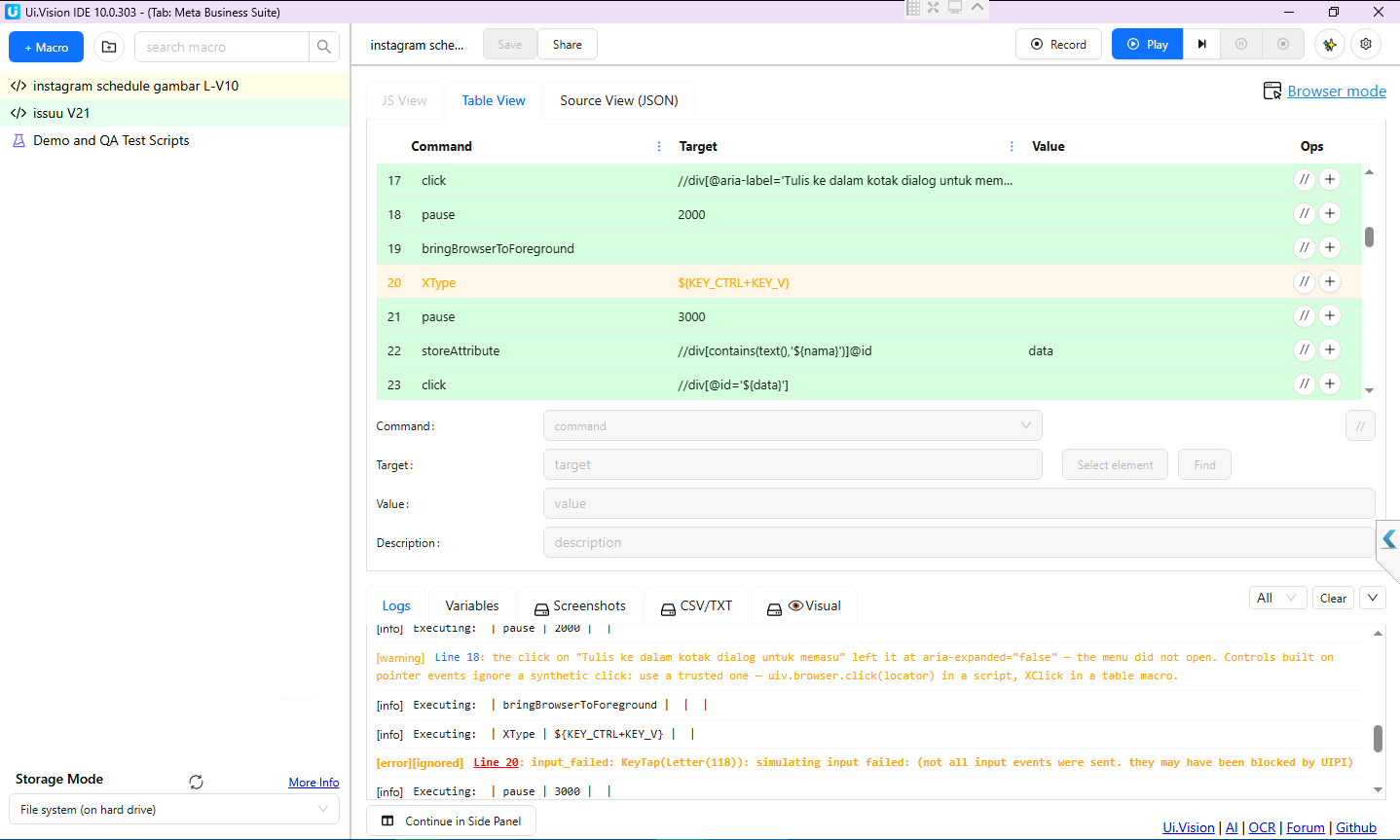
What the error means.Letter(118) is the letter V (118 is its ASCII code), so the step that fails is the Ctrl+V of your paste. Windows accepted the Ctrl press but refused the V keystroke. That refusal happens inside Windows, before the key reaches Chrome, and Windows does not tell the sending program why. Ui.Vision for Desktop just reports what it sees.
Why on that one PC? Windows discards injected keystrokes in these situations, so one of them is true on the second machine? (if not, let us know):
A privilege mismatch (UIPI). If Chrome runs elevated (“Run as administrator”, or started from an elevated shell or scheduled task) while Ui.Vision for Desktop runs as a normal user, every keystroke we send to Chrome is dropped. The reverse mismatch does the same. Check: Task Manager > Details tab > right-click a column header > Select columns > tick Elevated. Compare chrome.exe and uivision-app.exe. Both must say No.
A remote-control session with “block user input”. AnyDesk, TeamViewer and RustDesk have such an option. Close the session or switch the option off.
Security software that shields the browser keyboard. ESET Banking & Payment Protection, Kaspersky Secure Keyboard Input, Trusteer Rapport and Bitdefender Safepay filter synthetic input into browsers. Disable that feature or exclude Chrome from it. These tools are also a classic cause of “Chrome does not take my keyboard input until I switch windows”.
A UAC prompt or the lock screen appearing right at that moment.
A quick test: start Chrome from a plain desktop shortcut (not as administrator), run only the paste step, and see whether the error is gone.
The “cannot type in Chrome until I switch to Notepad and back” part was our bug. When the V was refused, the host stopped at the error and never released the Ctrl it had pressed, so Windows kept Ctrl down for your own typing (-> fixed in V2.1.43)
Fixed in Ui.Vision for Desktop 2.1.43: a failed key combo now releases every key it pressed before reporting the error, and the error names the key (key Ctrl+V) and lists the causes above instead of the raw “KeyTap(Letter(118))”.
Please note that 2.1.43 does not make the paste itself work on that PC. Windows refuses the keystroke there, and only the machine’s own configuration (points 1 to 4) can change that.