seems in version 6.2.8 that whenever I take an image of something through the select tool for visual search, it always adjusts slightly to the left and cuts off what I actually want.
i tested on googles homescreen and this is what I got
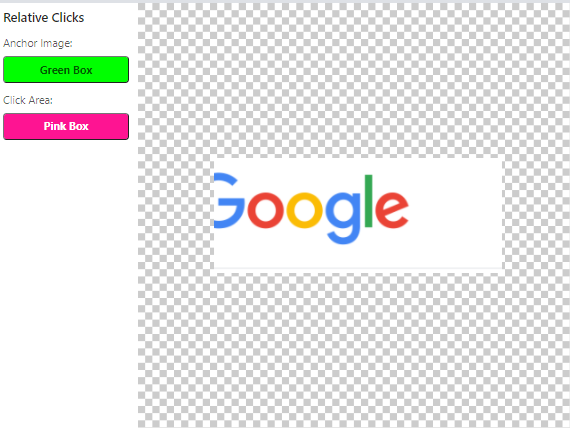
seems in version 6.2.8 that whenever I take an image of something through the select tool for visual search, it always adjusts slightly to the left and cuts off what I actually want.
i tested on googles homescreen and this is what I got
Hi,
same here. Do you happen to use a dual monitor setup?
regards
I do not unfortunately
By default the Beta selection tool is checked, can you uncheck it and try again?`
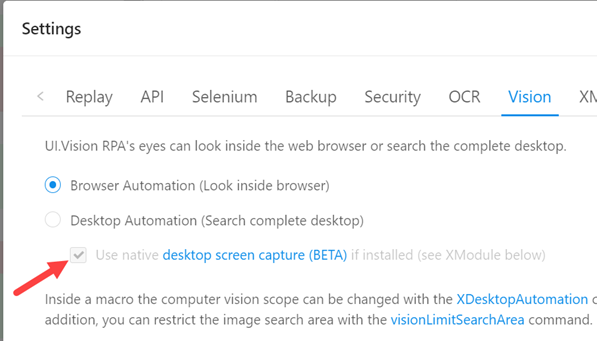
unfortunately same results as previous. still cuts off.
What if you switch to desktop automation mode while taking screenshots?
appears to line up correctly.provided you meant change from browser automation to desktop automation
Yes, this is what I meant.
So this should work as temporary workaround, or?
I might be missing something but when using the select function with this enabled, it shows me a screenshot of what I am currently busy with, in this case the uivision tab. is there a delay or switch screen function?
Yes, there is a “take screenshot” delay feature. See here:
Strange. Indeed, this means “something” has changed on the system. But what?
Workaround: If you run the macro in desktop automation mode, it should work fine (because using desktop automation avoids calculating the browser position on the screen, and this seems to be the issue here).
unfortunately, desktop automation also gives issues. the above screenshots are from when in desktop automation mode. so while I can take the actual snip of what I want in desktop automation, it doesn’t find it as it should.
so browser automation takes a snip of the wrong area, desktop automation takes its correctly, but both are showing as being slightly off when trying to find the original image.
@admin so it appears the sensitivity of the difference between two images is not sensitive enough anymore, I have a red button that says Non-Compliant, and a green button that says Compliant, but the difference between the two is a mere 0.08 at most, this is not enough of a variation for me to tell it to only look for .jpg@0.95 for example as sometimes its a minuscule variation according to the software.
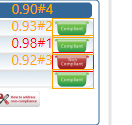
this was done in desktop mode.

