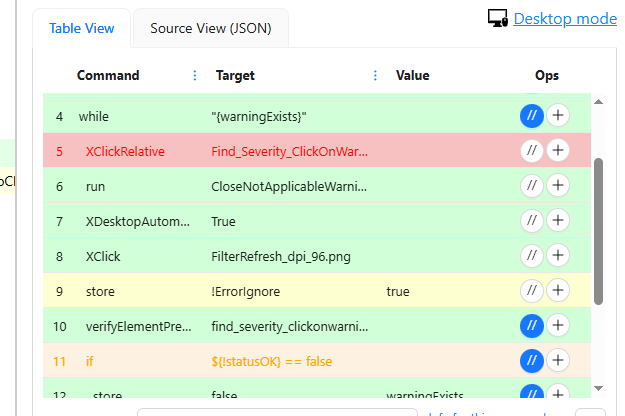
Using Edge (Chromium) browser on W10 with UI.Vision extension, in Desktop Mode, is there any documentation for why some Table View code lines and text are different colors?
Yellow is the current line you are working on/editing.
Pale green seems to be most of the code, but some are two different shades of pink and the text for the command/target, etc is red, or orange. Why?
If I click on line 5, it becomes yellow, but the text is still red.
It’s like a traffic light. Green is ok, red is failed, yellow is attention, and additional orange is failed, but since Ignore is ok, it continues and doesn’t fail. Very intuitive to me.