I use Edge browser and Storage Mode is Local Storage (In Browser). This is the third time this week I have opened it up and ALL THE MACROS ARE GONE. It shows the last macro run in the right pane, but the left pane shows “No macro found”. This is getting ridiculous.
Also, the restore takes forever and I have to run it 4 or more times to get it to actually restore everything.
OK, I have no idea what is going on. I had it all opened to make a new macro, finished it and closed everything and then thought to myself, I should back that up. I opened it back up and all the macros are gone, although the folders are there this time. WTF.
Also, the restore does work, I am just not patient enough!
OK, so completely removing and readding the extension did not fix the issue. Also, I cleared out the screenshots and visual section to only the images I needed (mostly to shrink the size of backups if I need to backup every single time I do anything!).
Usually macros are gone when Kantu engine is updated. So I make sure I always back up my hundreds of macros.
I would recommend to try chrome and see if you have the same issue there.
So the issue went away, and I am still not sure what caused it, but now it is back again 5 months later. There is nothing going on with the browser, and every few days the macros fail to run from command line and then when I look they are all gone. After the last time, I take way more frequent backups, and so I have been able to restore them, but this is crazy. And of course, no @admin comments on this old post saying what it might be.
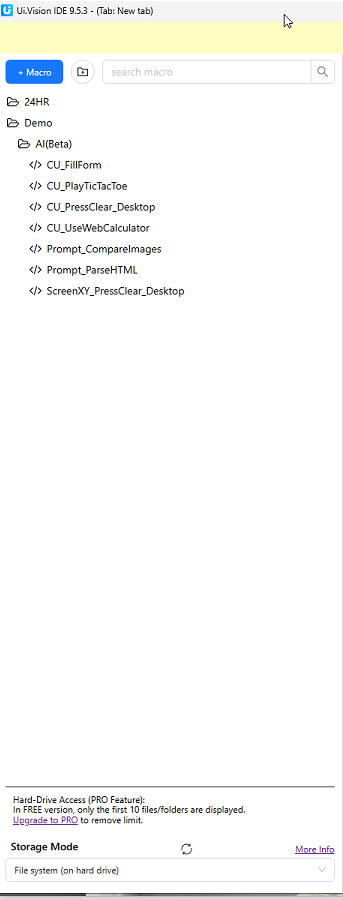
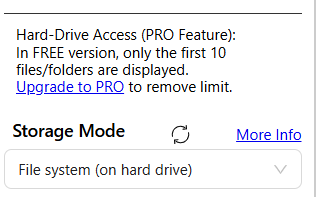
This is happening in Edge. Chrome on the same system has not had any issues. I cannot store the macros in the file system as I don’t have pro and that means I can only have 10 macros in file system.
Thanks for the feedback. This is a difficult issue to debug, as it does not happen in our tests. Also, RPA source code-wise, the Edge and Chrome versions are identical.
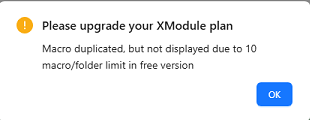
When I attempt to restore the backup from the bookmarks it errors out at 7 macros and 3 folders and stops. It says I can only have 10 macros/folders. After, I am unable to even create another macro.
And it seems, when I run from the command line it switches the macro list back to “Local Storage (in browser)” and of course fails because the macros are in the file system!?
OK, so exported a new autorun file, and that fixed it switching back to local storage!
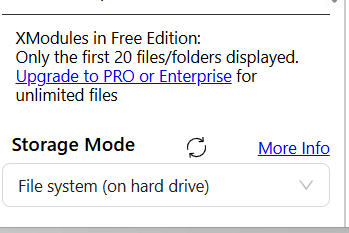
Ya, super not great to manage macros, and my chrome also only shows 10. If it was 20, it would work for me, but 10, counting folders, is not even useful.