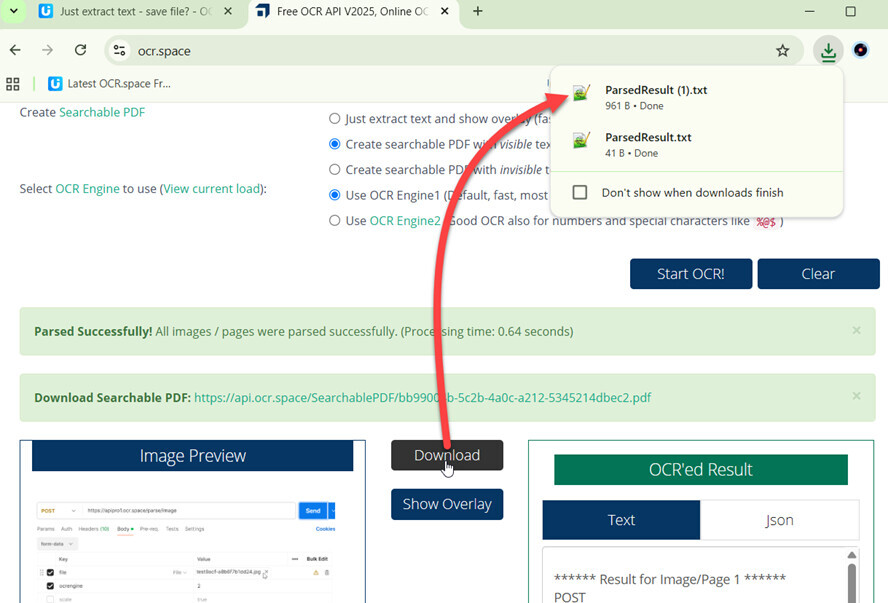
On OCR.space, when I use “Just extract text…” I need to select the output, copy it, create a file and paste it. Is there any way that I can download the extracted text into a file the way I can download output pdfs?
Are you using the online ocr (on the front page) or the OCR API?
I am using the online OCR.
1 Like
Thank you! I hadn’t noticed that “Download” box.